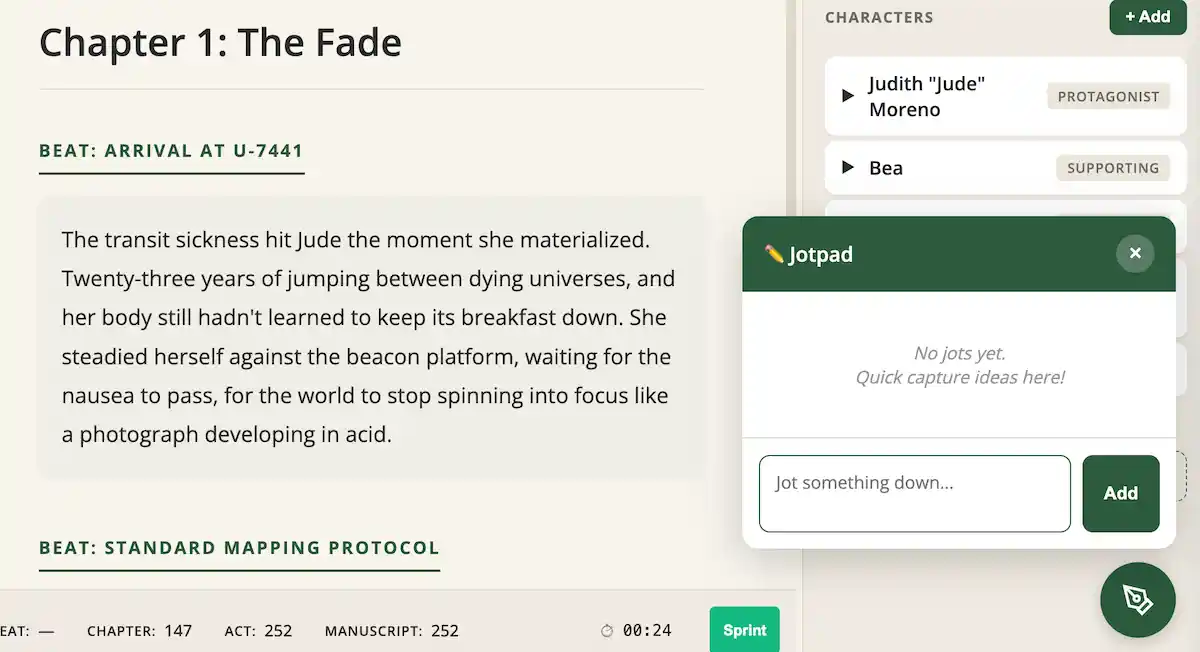
You're deep in chapter twelve, finally in the zone, words flowing like they haven't in weeks. And then it hits you: a perfect line of dialogue for chapter three. A character detail you need to remember. A plot hole you just realized needs fixing.
What do you do? Stop writing to scroll back and make the note? Open a separate app? Trust yourself to remember it later? (Spoiler: you won't.)
This is exactly why we built Jotpad.
The Problem: Your Brain Doesn't Write Linearly
Every writer knows the feeling. You're working on one scene, but your brain is already three chapters ahead. Or behind. Or off on a tangent about a minor character's backstory that suddenly feels crucial.
The traditional solution—stop what you're doing and navigate to wherever that thought belongs—is a flow killer. By the time you've found the right spot, added your note, and navigated back, you've lost the thread of what you were actually writing.
But losing those fleeting thoughts? That's even worse.
The Solution: Capture Now, Sort Later
Jotpad is a floating quick-capture window that's always one click away. See that little button in the bottom-right corner of your editor? Click it, type your thought, and hit Enter. Done.
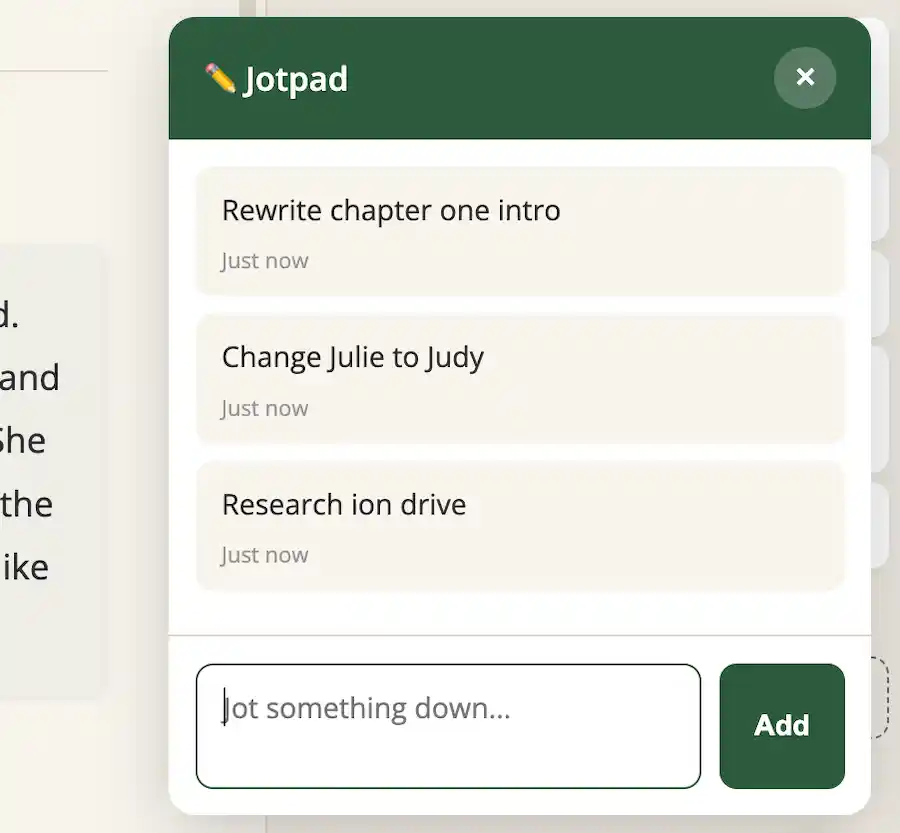
Your jots accumulate in a simple list with timestamps. No folders, no categories, no friction. Just raw capture of whatever your brain throws at you.
What Can You Do With a Jot?
When you're ready to process your jots—maybe at the end of a writing session, maybe the next day—right-click any jot for options:
- Create Sticky Note — Turn it into a persistent note for reference
- Create Chapter — That idea is big enough to be its own chapter? Make it one.
- Create Beat — Add it as a scene in an existing chapter
- Copy to Clipboard — Paste it wherever you need it
- Delete — Some jots were just brain noise. That's okay.
When you create something from a jot (sticky note, chapter, or beat), the jot disappears. It's been processed. But copying to clipboard keeps the jot around—you might need it again.
When to Use Jotpad
We've been using Jotpad ourselves during development, and it's become essential for:
- Dialogue that pops into your head — "She'd never say that. She'd say THIS." Jot it.
- Research reminders — "Look up Victorian lamp oil prices." Jot it.
- Character insights — "Marcus is lying about his sister." Jot it.
- Plot fixes — "Need foreshadowing in chapter 3 for the reveal in chapter 12." Jot it.
- Revision notes — "This whole scene feels slow. Tighten on next pass." Jot it.
"The best time to capture an idea is the moment you have it. The second best time is too late."
Inspired by the Best
If you've used Scrivener, you might recognize the concept—they call it Scratchpad. It's one of their best features, and we're not shy about saying it inspired Jotpad.
The difference? Ours lives right in your browser. No separate window to manage, no desktop app to switch to. It's just there, always ready, always saving with your project.
Try It Now
Jotpad is available to all NOVELSAGE users, free and premium. Open any project, look for the pencil button in the bottom-right corner, and start capturing those fleeting thoughts before they disappear.
Your future self—the one trying to remember what brilliant idea you had three weeks ago—will thank you.